Assign blueprint areas
Each item must be assigned to one area of the blueprint. The blueprint assignment determines who will author and review each item and can also be used to add reporting groups when building an exam. However, some projects may be configured to allow "unclassified" items without an assigned blueprint area.
About blueprintsAbout blueprints
An exam blueprint defines the body of knowledge that makes up the content of an examination. In employment settings, it defines the work activities (tasks) and knowledge or skills required for competent job performance. In ExamDeveloper, the blueprint specifies what type of content should be created for a project and is used to categorize or classify items within an item bank. It is typically set up by the project manager and structured as an outline of domains, tasks, and sub-tasks.
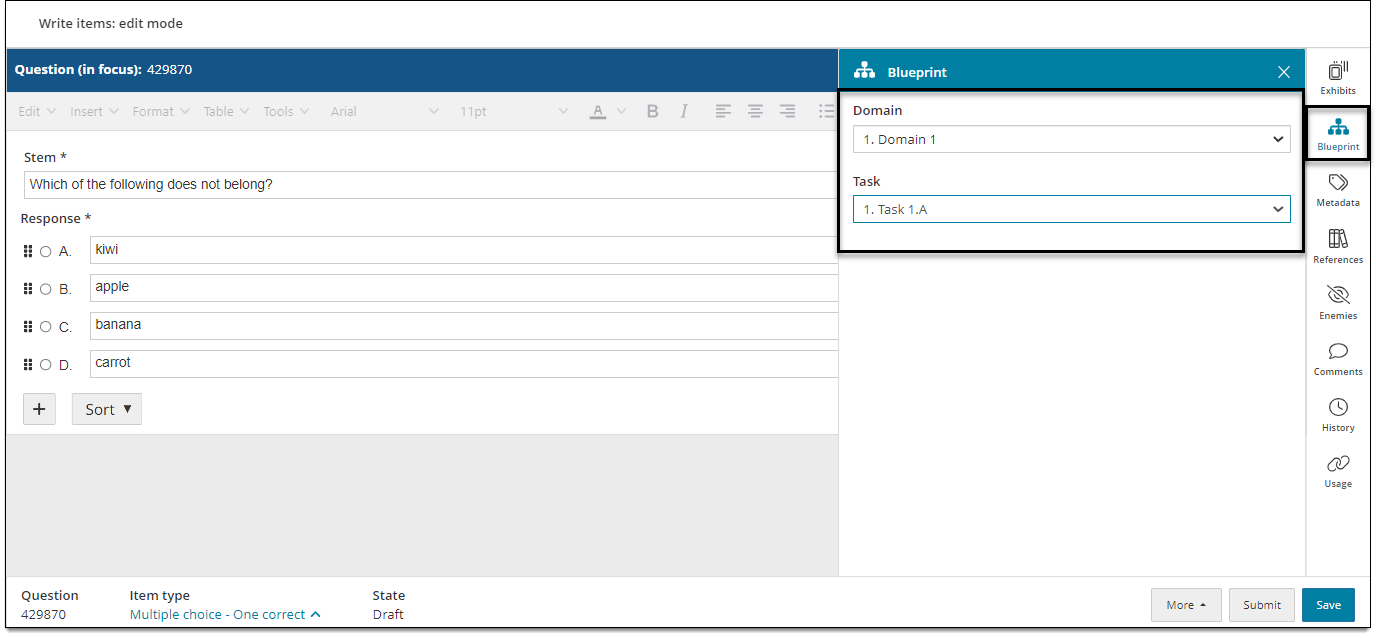
Assign item to a blueprint area
The blueprint is used to classify items when building exams. (Note: The blueprint area may already be assigned to the item, depending on which assignment you opened from your dashboard page.)
- In the item settings panel
 , click Blueprint.
 - Select a Domain, Task, or Sub-Task as appropriate for the item.
- Click Save in the lower-right corner of the page.
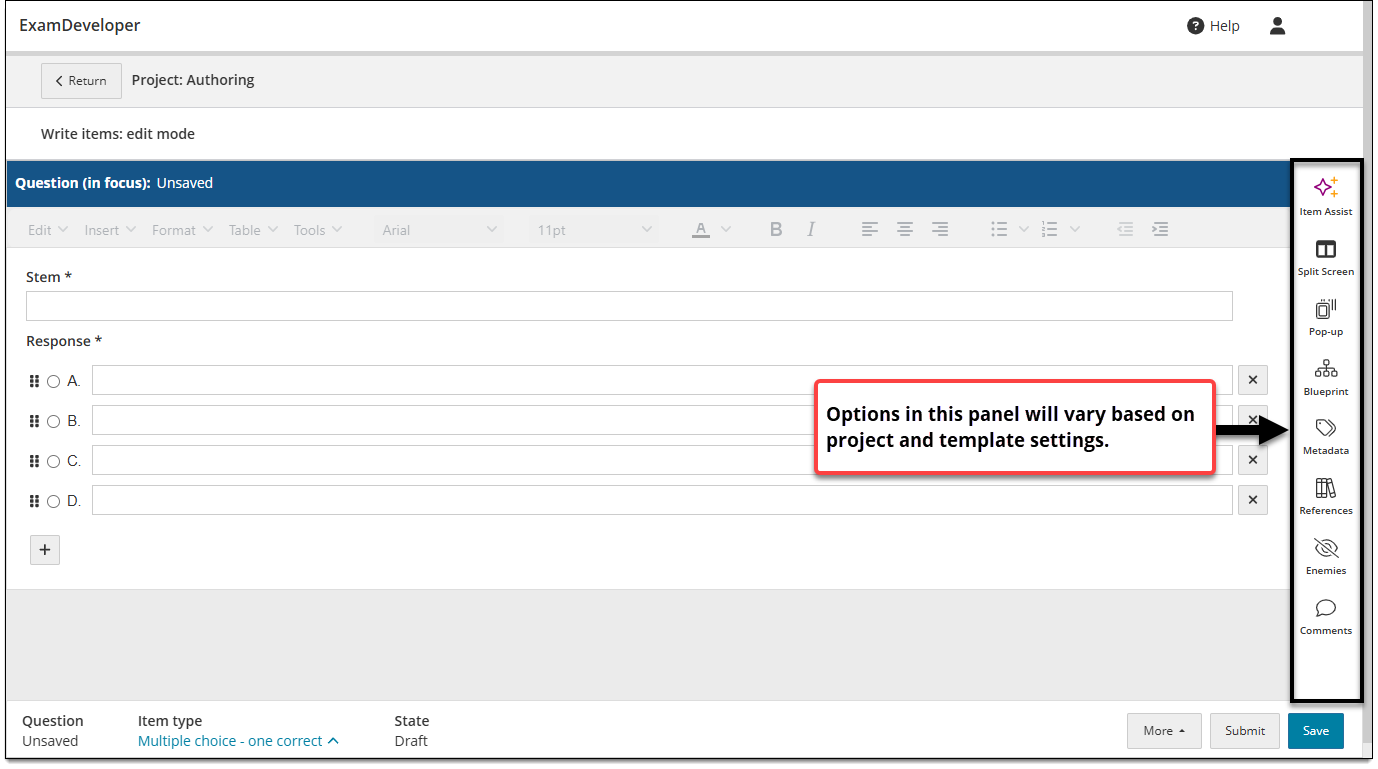
Change the assigned blueprint area
- In the item settings panel , click Blueprint.
- Select a new Domain, Task, and/or Sub-Task as appropriate for the item.
- Click Save in the lower-right corner of the page.
Once the item is submitted for review, it will reduce the number of "Remaining" items for that blueprint assignment by 1.
Changing the assigned blueprint area may also impact who the next assigned reviewer will be.